If the browser says “Not secure” next to your address, some people leave. What HTTPS is and how to check whether you have it.
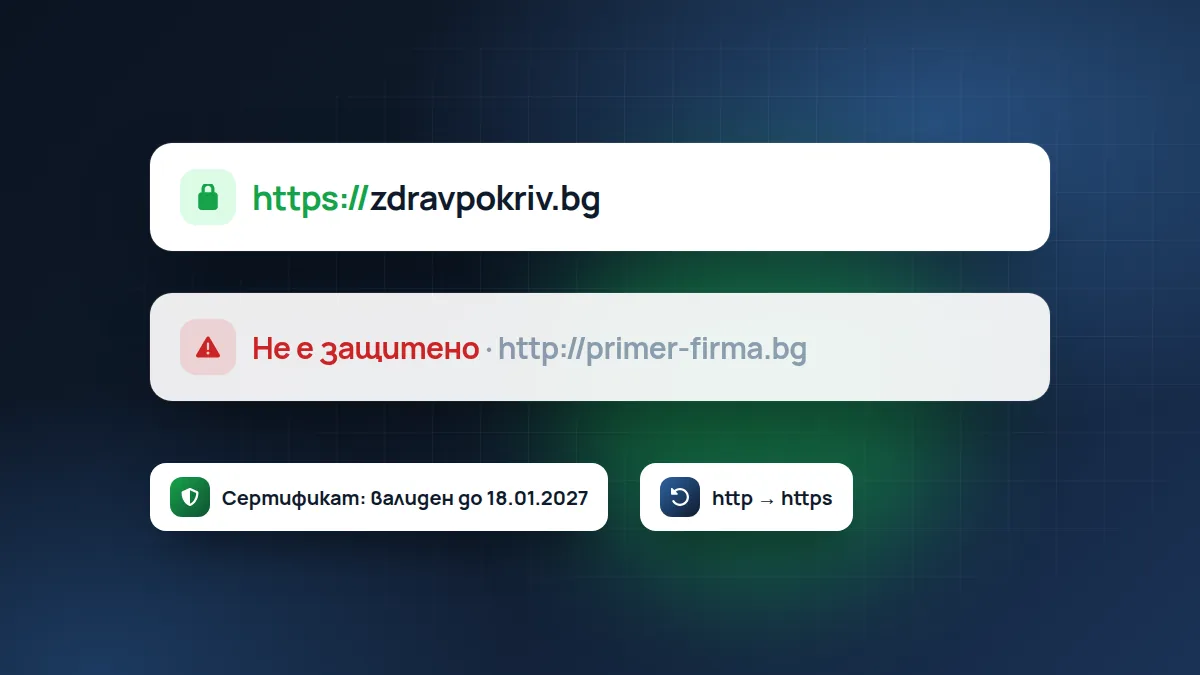
Look at your website’s address in the browser. If there is a padlock or a settings icon next to it, the connection is secure (HTTPS). If it says “Not secure”, the browser is warning every visitor that something is wrong.
What HTTPS does
It encrypts the connection between the visitor and the website. When someone fills in your form with their name and phone number, nobody along the way, for example on a public Wi-Fi network, can read the data.
HTTPS guarantees one more thing: that the person really is on your website and not on a fake page. The certificate is like the website’s ID card, issued for a specific domain.
It’s important to know what it does not do: HTTPS doesn’t mean the website is safe from hacking or that the company behind it is honest. It only protects the connection. That’s why fraudulent websites almost always have a padlock today.
Why it affects you even if you don’t have an online shop
- Trust. The “Not secure” warning scares people, especially right before they send an enquiry.
- Google uses HTTPS as one of the signals when ranking results.
- Forms and browsers. Modern browsers increasingly restrict websites without HTTPS: they warn when you fill in a form and block some features such as location or camera.
- The law. If you collect personal data, such as a name, phone number or email, GDPR requires you to protect it. An unprotected connection is hard to justify.
How to check
- Open your website with
http://in front, without the “s”. It should automatically redirect you tohttps://. - Check that there is a padlock on all pages, not only on the home page.
- Click the padlock and see how long the certificate is valid.
- Try with
www.in front and without. Both versions should lead to the same secure address.
How much it costs
In most cases nothing. Let's Encrypt certificates are free and renew automatically. Good hosting includes them by default. If someone asks you for money every year just for “SSL” on an ordinary business website, ask why.
It makes sense to buy paid certificates only in special cases, for example for large companies or banks that want additional verification of the company. For a small business website, a free certificate protects the connection just as well.
The most common problems
The certificate has expired
The certificate was set up, but automatic renewal stopped, and one day the website shows a scary red warning. That’s why, with monitoring, we also track the certificate’s expiry date.
“Mixed content”
The website is on HTTPS, but some photo, script or font is still loaded over http://. The browser then doesn’t show the padlock or shows it with a warning sign. It usually happens with old websites that moved to HTTPS later. It is fixed by changing the addresses inside the website to https://.
The certificate is for a different address
For example, it is valid for www.yourcompany.bg but not for yourcompany.bg. Visitors who type the address without www see a warning. The certificate must cover both versions.
The redirect doesn’t work
The website works on both http:// and https:// without redirecting from one to the other. Then Google may see two websites with the same content, and some visitors stay on the unprotected version.
What to do if you don’t have HTTPS
- Check in your hosting control panel. There is often a “Let's Encrypt” or “SSL/TLS” button that turns it on with one click.
- After you turn it on, set up the redirect from http to https.
- Change the addresses inside the website to https (with WordPress there are plugins that do this).
- Update the address in Google Search Console and in the Google profile if they use http.
If your hosting doesn’t support free certificates, that is a good reason to consider switching.
Frequently asked questions
Do I need HTTPS if the website has no form?
Yes. Browsers warn about every website without HTTPS, whether or not it has a form. And Google takes it into account.
Will I lose rankings in Google when I switch to HTTPS?
If the redirect is done correctly, no. Google expects it and recognises it.
The free website check shows whether HTTPS works and whether the address without the “s” redirects correctly. If you want someone to monitor the certificate and the website all the time, see Maintenance and hosting.
Found this article useful? Share it.