A slow website loses people before they have seen what you offer. How to measure speed for free and what to fix first.
How long do you wait for a website to open before you press “back”? Most people don’t wait long, especially on a phone and on mobile data. A slow website loses customers before they have seen anything at all.
Speed affects Google too: it measures how pages load for real visitors and uses it as one of the signals when ranking. A fast website won’t put you in first place by itself, but a slow one can hold you back.
How to measure speed
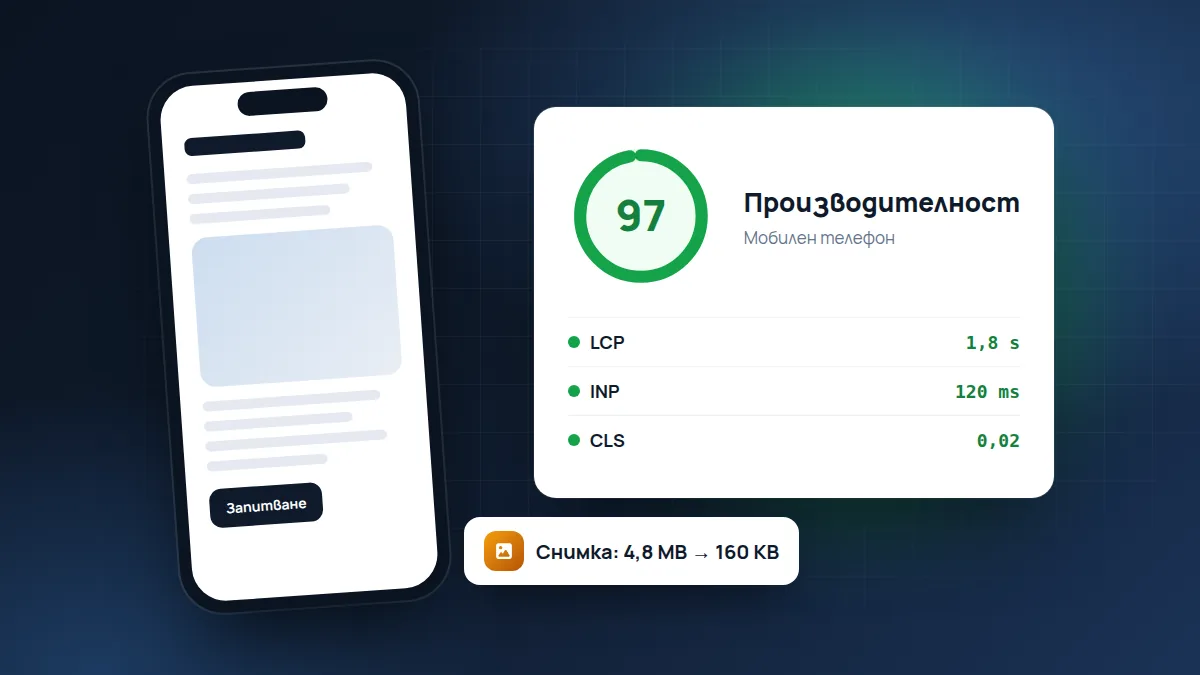
Open pagespeed.web.dev, paste your website address and press “Analyze”. You get a score from 0 to 100 for mobile and for desktop.
- 90–100: excellent.
- 50–89: there is room to improve.
- Below 50: the website is probably losing visitors.
Look at the mobile result first. It is stricter and closer to what your customers see.
What the three metrics mean
Under the score, PageSpeed shows several metrics with English abbreviations. The three most important are:
- LCP (Largest Contentful Paint): how long it takes for the largest thing on the screen to appear, usually the main photo or the heading. It should ideally be under 2.5 seconds.
- INP (Interaction to Next Paint): how quickly the page reacts when you press a button or a menu. If you press and nothing happens for a moment, this is where the problem is.
- CLS (Cumulative Layout Shift): whether the content “jumps” while loading. You know it: you want to tap a link, but just then a banner loads and you tap something else.
If the website has enough visitors, you’ll also see data from real users at the top. It matters more than the lab test, because it shows what happens for your actual customers.
The most common causes of a slow website
- Huge photos. A phone photo is 4–5 MB. For a website it should be tens of times smaller, in WebP format.
- Too many plugins. Every plugin in WordPress loads its own files. Remove the ones you don’t use.
- Weak hosting. The cheapest hosting is often the slowest too.
- Third-party scripts. Chats, counters, embedded maps and videos load from other servers and slow the page down.
- A heavy theme or page “builder”. Many ready-made themes load code for dozens of features, of which you use three.
- Fonts. Five different fonts, each in several weights, weigh more than you think.
What to do today
Start with the photos: it’s the quickest win. Then remove the plugins you don’t use. If the score stays low, the problem is probably the theme or the hosting and it’s time for a more serious conversation.
Photos, step by step
- Before you upload a photo, reduce it to the size at which it will be displayed. For a full-screen photo about 1600–2000 px wide is plenty, for a photo in a card 800 px is enough.
- Convert it to WebP. Free tools such as squoosh.app do it in the browser without uploading anything anywhere.
- If the website is on WordPress, an optimisation plugin can do this automatically for all new photos.
Embedded videos and maps
An embedded YouTube video or Google map loads a lot of code, even if nobody clicks it. A good solution is to put a photo with a “Play” or “Open the map” button in their place, and load the real video or map only when it’s clicked.
Frequently asked questions
Why is the score different every time I run the test?
The test is run from a Google server and depends on the load at that moment. A difference of a few points is normal. Look at whether the result is consistently green, yellow or red, not at the exact number.
Do I need exactly 100?
No. A score above 90 is excellent. It matters much more that the website opens quickly for your real customers, on their phones and networks.
Do a CDN or caching help?
Yes, especially if the website is on WordPress. Caching stores ready-made pages instead of assembling them again on every visit. It is usually set up on the hosting or with a plugin.
Our own website is built with a target of 100 in PageSpeed and you can check it yourself. If you want to know where yours stands, run the free check: it measures how quickly your server responds. If a slow website is a constant problem, see the Maintenance and hosting service.
Found this article useful? Share it.